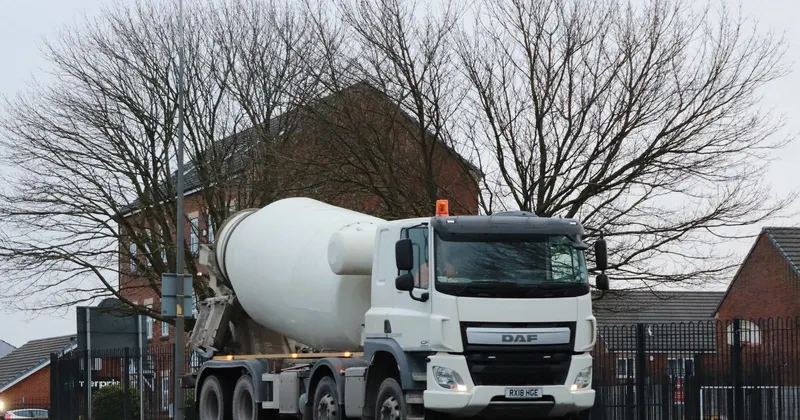
The delivery note that travels with every mixer truck is not just the piece of paper that is later invoiced. For structural concrete it is the supply sheet required by the Código Estructural (Spain's Structural Code), and it is the first thing the site looks at when a load arrives. If a piece of data is missing, the batch may not be accepted. This article reviews what it must contain, where each item comes from, who checks it and where mistakes are usually made.
Where the obligation comes from
Section 51.4.2 of the Código Estructural (Real Decreto 470/2021, the Spanish Royal Decree approving the Structural Code) states that every load of concrete made at a plant, whether or not the plant belongs to the site, must be accompanied by a supply sheet with the minimum content set out in Annex 4. Section 57.5.1 adds that the contractor, or whoever represents them technically on site, checks, under the supervision of the project management team, that the values on the sheet comply with the Code and match the mix design declared by the supplier.
And section 57.7.2 closes the circle: the placing of a batch with non-compliances in this documentary check is not accepted. An incomplete delivery note can end up as a rejected truck.
The data required by Annex 4
Section 2.5 of Annex 4 lists the minimum content of the concrete supply sheet:
| Data | Practical comment |
|---|---|
| Identification of the supplier | The company supplying the concrete. |
| Serial number of the supply sheet | Unique, sequential numbering. |
| Name of the concrete plant | Important if you have several plants. |
| Identification of the purchaser | Who places the order. |
| Date and time of delivery | The time matters, not just the day. |
| Quantity of concrete supplied | In cubic metres. |
| Concrete designation | By properties: strength, consistency, maximum aggregate size and environment. By mix design: cement content in kg/m³, consistency, maximum size and environment. Where applicable, the quality mark. |
| Actual mix design | See the details below. |
| Identification of the place of supply | The site and, if needed, the work front. |
| Identification of the truck | Registration number or vehicle code. |
| Time limit for using the concrete | Until when it can be placed. |
The actual mix design: the section most often forgotten
This is the part that has changed the most and the one that fails most often on delivery notes inherited from old software. According to Annex 4, the actual mix design must include at least:
- In environments XC3, XC4, XD, XS, XF, XA and XM, the reference of the technical data sheet of the formula, the one listed in section 13 of the manufacturer's declaration of conformity.
- Type and content of cement.
- Water/cement ratio.
- Content of additions, if any.
- Type and quantity of admixtures.
- Full identification of the cement, admixtures and additions used.
The word "actual" matters: it refers to what was loaded into that particular batch, not to the theoretical recipe. That is why the data has to come from the batching plant's record. Section 57.1 of the Code also requires the plant to record the weighing with a device linked to the weighing scale, or to hold certificates from the batching software manufacturer and from the concrete manufacturer guaranteeing the traceability of that data, something already required by Real Decreto 163/2019 (the Spanish Royal Decree on production control) for production control.
The time limit for use
As a general rule, the Code sets a maximum of an hour and a half between adding the mixing water and placing the concrete, unless set retarders are used (section 51.4.1). The manufacturer may set a shorter period on its supply sheet, and in hot weather the limit must be shorter unless special measures are taken.
Calculating the time limit correctly and writing it on the delivery note protects the plant: if the site places the concrete outside the permitted period, there is a record that a warning was given.
Who checks the delivery note and what happens next
- At the plant, before departure, the operator checks that the designation matches the order for that site.
- On site, the contractor checks the data against what was ordered and against the declared mix design, under the supervision of the project management team.
- If samples are taken, the laboratory report must allow them to be linked to that delivery note.
- When the supply is complete, the manufacturer draws up a certificate of the concrete supplied, with types and quantities (section 57.6), which comes from the sum of the delivery notes for that site.
The plant must keep the delivery notes and the weighing records. Real Decreto 163/2019 sets twelve years, in connection with the liabilities under the Ley de Ordenación de la Edificación (Spain's Building Act).
Common mistakes
- Incomplete designation, or one using the old exposure class (IIa, IIIa) when the specification uses the X classes.
- Theoretical mix design instead of the actual one.
- Missing technical data sheet reference in the environments that require it.
- Loading time given, but no time limit for use.
- Site name handwritten or different on each delivery note, so the figures do not match when invoicing.
- A truck or driver that does not match those that actually made the trip.
If you also carry out public road haulage of goods, remember that the administrative transport control document is a separate obligation. It is explained on the DeCA website.
From the plant's delivery note to the office without retyping
Gesthorm does not replace the loading software that produces the delivery note at the plant: it connects to it. It imports each sales delivery note with its customer, site, vehicle, driver, item, quantity produced and raw material consumption, and in the opposite direction it sends to the plant the customers, sites, vehicles, companies and drivers that you register in the office. That way the plant and the office use the same names and there are no sites written in two different ways.
It works with Arco, Kobetón, Software PCD, GestecNet, Conex and other loading programs, in real time or with files. You can find it at the connection with the plants, and the usual questions in the FAQ.