It is month-end and the office is putting together, by hand, the delivery notes from several plants with different batching systems. Meanwhile, a customer calls because the invoice does not match the cubic metres they received on site. Invoicing control means checking three things before sending anything: that every concrete delivery note is invoiced only once, at the price agreed for that site and to the right customer. Below you will find what to prepare, the steps in order, the mistakes that cost the most and how it is done with Gesthorm.
What invoicing control checks at a concrete plant
At a concrete plant, the invoice comes from the delivery notes. Every load the plant produces goes with its delivery sheet, as required by the Código Estructural (Real Decreto 470/2021, the Spanish Structural Code, BOE-A-2021-13681) in articles 51.4.2 and 57.5.1. That delivery note is the proof of what was supplied and the basis for what is charged. If you want to review what it must contain, see our post on the mandatory details on a concrete delivery note.
Controlling invoicing means cross-checking three lists that are usually kept in different places:
- what was produced, which is in each plant's loading software;
- what was delivered and signed for on site, which is in the delivery notes;
- what was invoiced, which is in the invoicing software or the accounts.
When all three match, the invoice stands up to any claim. When they do not, you pay the difference: an uninvoiced delivery note is concrete given away for free, and one invoiced twice means an annoyed customer and a corrective invoice.
What to prepare before month-end close
Before issuing any invoice, have this to hand. If something is missing, the close drags on and the errors appear later, once the invoice is already with the customer.
- All delivery notes for the period from all plants, including cancelled ones, so that the numbering has no unexplained gaps.
- The current rates and prices per site, with the accepted quotes and their conditions.
- The extra additions agreed with each customer: special admixtures, fibres, consistency changes or other charges billed separately.
- The month's returned concrete and what was agreed with the customer in each case. Our post on how to record returned concrete may help.
- Waiting time on site that is charged for, if agreed.
- Each customer's tax details and whether they are invoiced per site or with a single monthly invoice.
- Pro forma invoices still to be converted into invoices.
How to do invoicing control step by step
The order matters: if you price before reconciling quantities, you end up correcting prices on delivery notes that later disappear.
Bring the delivery notes from all plants together in one place
Export or copy the sales delivery notes from each loading program into a single list for the month. Check that each plant's numbering is sequential and that cancelled notes are marked as such. With several plants and different batching systems, this step eats up the most hours if it is done by typing.
Reconcile the cubic metres produced with those delivered
Compare, delivery note by delivery note, the quantity produced with the quantity to be invoiced. Differences must have an explanation: a return, an agreed minimum load or a typing error. Those that do not should be cleared up with the plant manager before going on.
Price each delivery note at its site's price
Prices are set per customer and per site, and the same company may have different prices on two sites. Apply the rate from the accepted quote, and check the extra additions and the haulage if it is charged separately. This is where margin is lost without anyone noticing: a general list price applied to a site with a higher agreed price.
Group and generate the invoices
Decide how each customer is invoiced: per customer and site, or per plant and period. Generate the invoices from the priced delivery notes, without re-typing quantities or prices. Each invoice must make clear which delivery notes it includes.
Review before sending
Pull a list of uninvoiced delivery notes and another of delivery notes invoiced more than once. Both should be empty or have an explanation. Also compare the totals per customer against the previous month: an odd jump is usually a wrongly entered price.
Cross-check what has been invoiced against what you are owed
Before closing, look at each customer's exposure: what has been supplied but not invoiced, what has been invoiced but not collected and the payments not yet due. With that information, decide whether a customer who asks for another truckload while still owing several invoices gets it or not. Ley 3/2004 on late payment (Spanish law on combating late payment in commercial transactions), in its article 4, sets a payment period of 30 calendar days and, by agreement, never more than 60.
If this close forces you to put together each plant's delivery notes by hand, Gesthorm imports them from the loading programs and prices them at each site's price; request a demo and we will show you your month-end close with your own plants.
Common mistakes when invoicing concrete and how to avoid them
| Mistake | Where it appears | How to avoid it |
|---|---|---|
| Uninvoiced delivery note | Delivery notes from a plant that never reached the office | List of uninvoiced delivery notes before closing the month |
| Delivery note invoiced twice | A load typed in from paper and from the loading program | Invoice generated from the delivery note, never typed in again |
| General list price on a site with an agreed price | Accepted quotes that were not entered in the site record | Prices per site set up before the first delivery |
| Forgotten extra additions | Admixtures or fibres ordered by phone on site | Make sure the addition is on the delivery note and priced with it |
| Wrong site or customer | Records created at the plant under a different name | Create customers and sites only once, in the office |
| Wrong tax details | New customer set up in a hurry | Check the record before the first invoice |
If an error slips into an invoice that has already been issued, it is corrected with a corrective invoice. An invoicing system that keeps each record chained to the previous one leaves a trace of the correction, so it is best to get used to correcting rather than deleting.
How it is done with Gesthorm
Gesthorm has an automated connection with the plants' loading programs: the website cites Arco (Arco Electrónica), Kobetón (Frumecar), Software PCD (Horus), GestecNet (Leca) and Conex (Proin), among others. It imports sales delivery notes, consumption and purchases from each plant, and in the other direction sends to the loading programs the customers, sites, vehicles, companies and drivers set up in the office. This way a customer and a site are entered only once and arrive the same at every plant. It is explained on the page about managing several concrete plants.
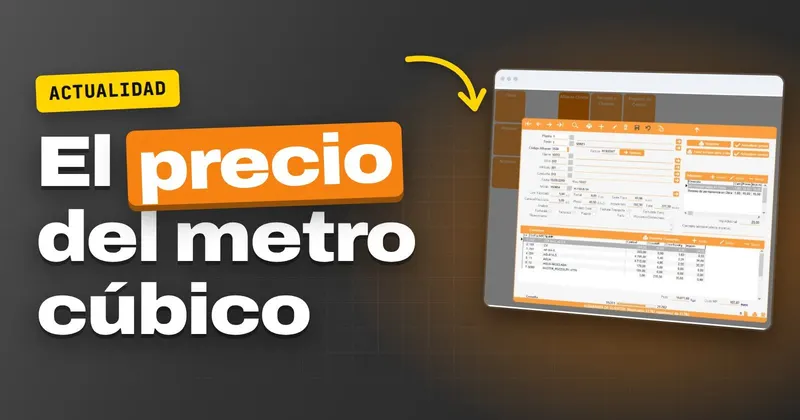
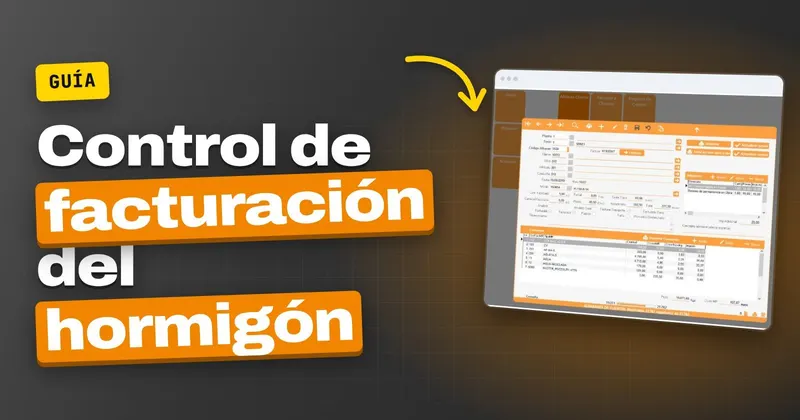
Each delivery note reaches the office with the item, the quantity produced and invoiced, the price, the transport cost, the additions and the raw material consumption with its cost. With that you see on the same screen what was produced, what will be charged and what it cost.
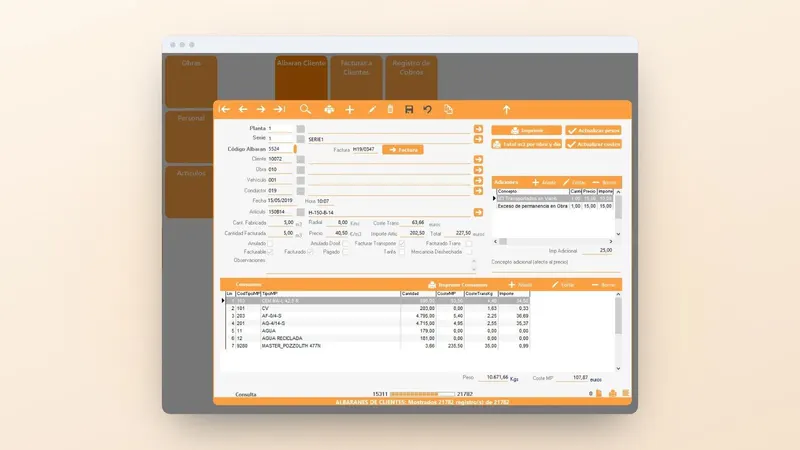
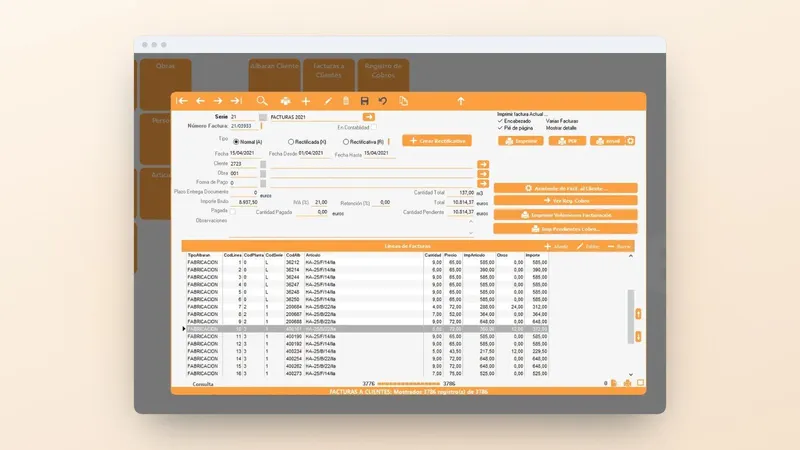
For invoicing, Gesthorm includes 3 automatic invoicing wizards that generate and price the delivery notes and invoice per customer and site or per plant and period, with the rates and prices per site and the extra additions. Each invoice shows the lines of the delivery notes it includes, a distinction is made between normal and corrective, and it can be printed, saved as a PDF or sent by email from the same screen. More detail on the page about the delivery note and invoice software.
After that, the invoice goes to the integrated accounting, or sales invoices and payments are exported to an external accounting program if your accountant works with another one. Customer exposure and the average collection period can be seen in real time, so the last step of the control is no longer a separate spreadsheet.
What to ask of an accounting and invoicing program for concrete
Generic invoicing programs suit any business, and that is why they fall short at a concrete plant. Before choosing, check that yours does the following:
- reads the delivery notes from each plant's loading program, even if the batching systems are from different brands;
- stores prices per site and extra additions, and applies them automatically when pricing;
- invoices per customer and site or per plant and period, as each customer requires;
- links each invoice to its delivery notes, so you can answer a claim straight away;
- handles the accounting or exports to your accountant's system;
- shows each customer's exposure before you supply another truckload;
- meets the requirements for invoicing systems.
On this last point, Gesthorm's invoicing keeps an invoicing record with a chained hash and a QR code on every invoice, and complies with article 29.2.j of Ley 58/2003, General Tributaria (the Spanish General Tax Act), and the Reglamento de Requisitos de Sistemas de Facturación (RRSIF, the Spanish regulation on invoicing system requirements).
Under Real Decreto 1007/2023, amended by Real Decreto-ley 15/2025, companies have until 01/01/2027 to adapt their invoicing system and all other obliged parties until 01/07/2027. The tax authority (Hacienda) announced on 05/10/2026 that it wants to postpone this until October 2028, but at present there is no rule in the BOE (Spain's official gazette).
What to do this month to close invoicing without surprises
- Pull the list of delivery notes from all your plants for last month and cross-check it against the invoices issued: any delivery note without an invoice is money you have not collected.
- Check that every active site has its agreed price set up, with its additions, before the next delivery.
- Look at the exposure on your largest customers and compare it with the payment period you have agreed with each one.
If you would like to see how that close would look with your plants and your loading program, request a no-obligation Gesthorm demo or call us on +34 959 54 07 12. To keep going with the month's figures, see our post on the concrete plant indicators worth checking every month.